Invite staff
Use Invite Staff when you want Servero to email a teammate their sign-in link.
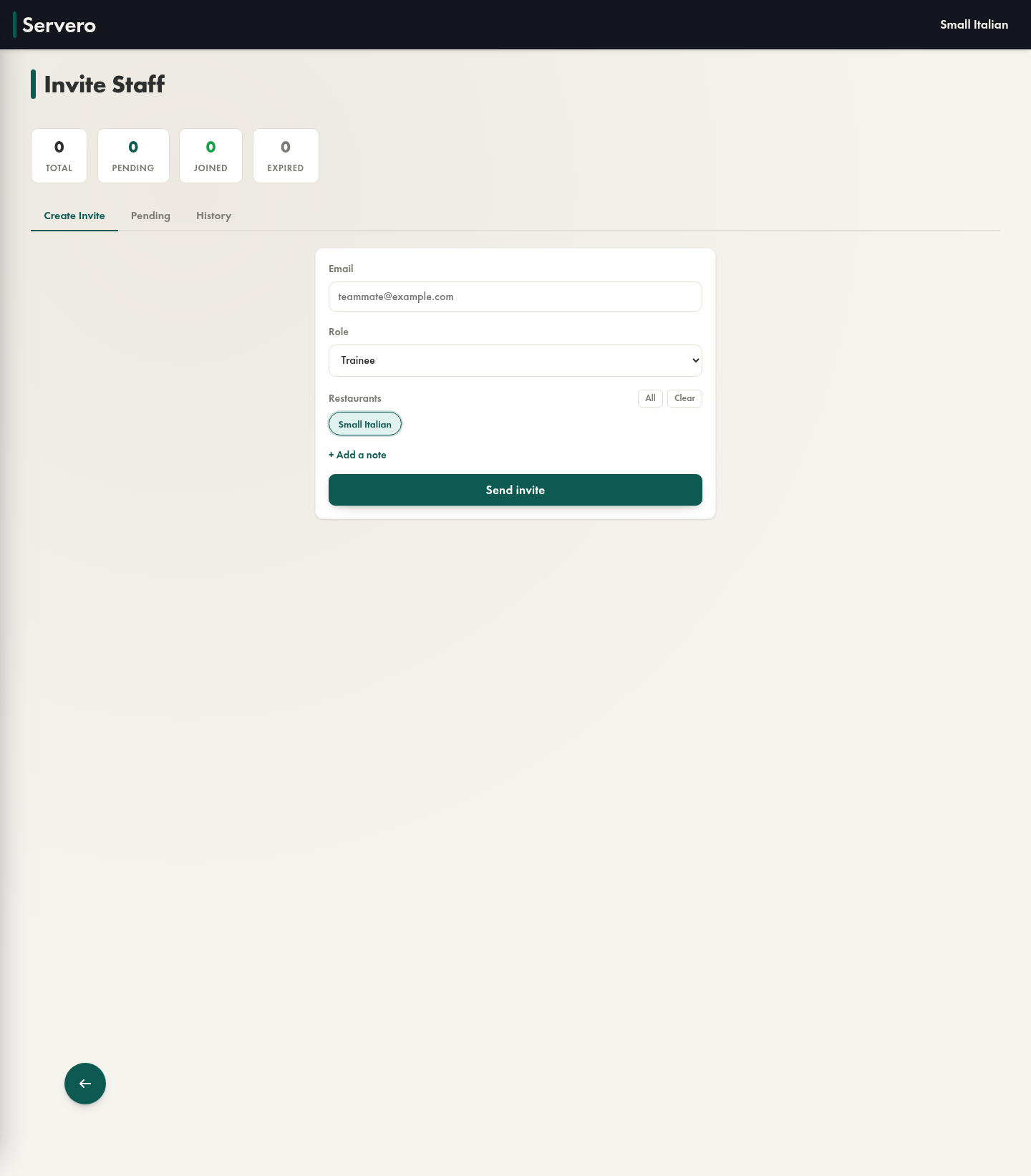
Where to find it
- Tools > Invite Staff
Plan requirement
Invite Staff is a Pro feature. If the route is locked, open Billing on the web app first.
Send an invite
- Enter the teammate's email address.
- Choose their role.
- Pick which restaurants they should access.
- Optionally add a note.
- Click Send invite.
Track what happened next
The page includes three tabs:
- Create Invite for sending new invites
- Pending for invites that have not been completed yet
- History for previous invite activity
The counters at the top help you see how many invites are pending, joined, or expired.
Good to know
- Use All and Clear to quickly adjust restaurant access.
- If a location is missing, your own restaurant access probably needs to be updated first.
- If someone does not receive the email, have them check spam before you resend.